Captions in the side panel, right beside your call
Keep your agency platform open and read every word next to it.
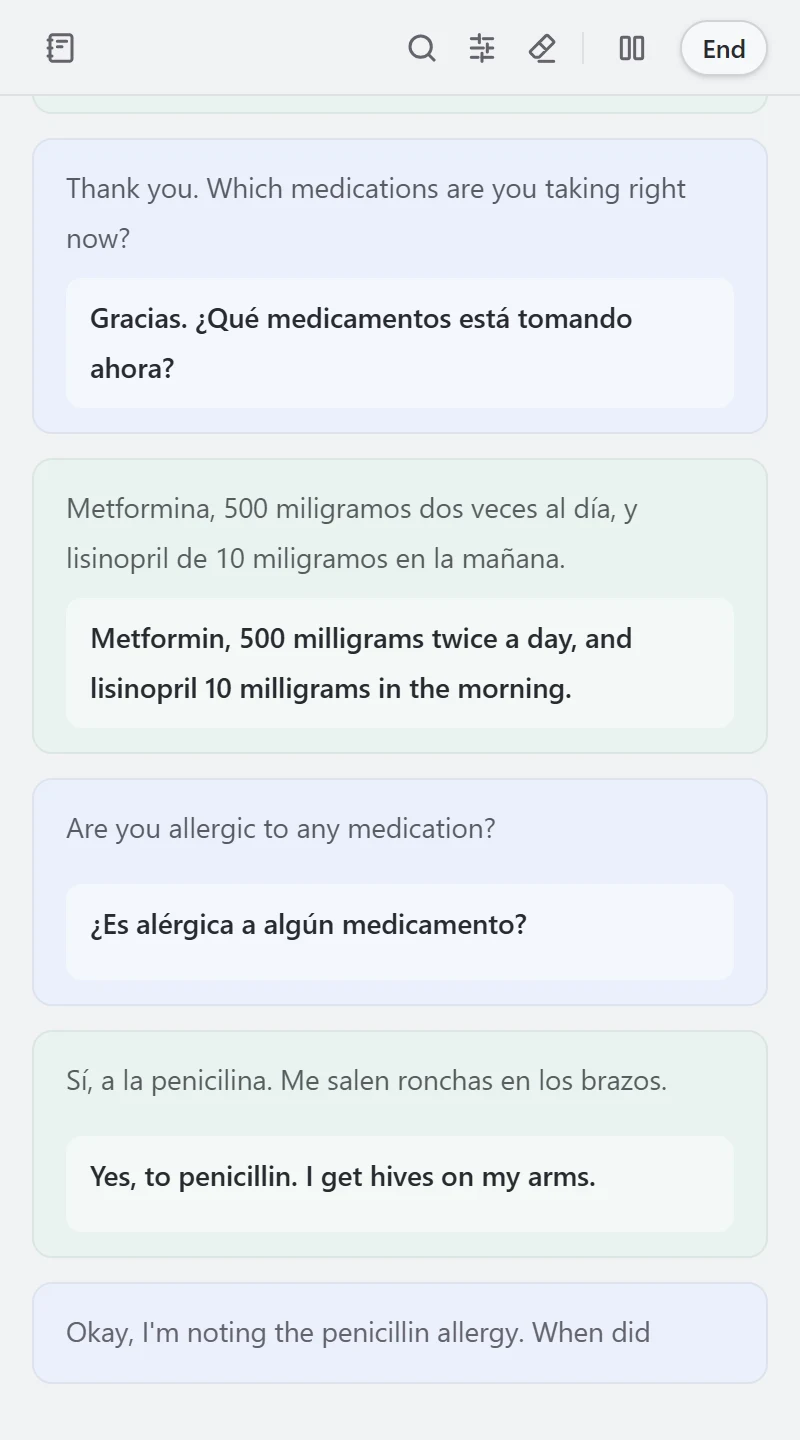
Why interpreters use the side panel
Your platform stays in view
No switching windows mid-call.
You choose the audio
The current tab, your whole system, your mic, or both.
Same account, same tools
Quick lookup, Notes and Glossary, all in the panel.
Set up in three steps
- Add it to Chrome and sign in
- Choose the call audio
- Pick your languages and press Start
You decide when it listens
- Tab audio starts from the active tab you chose in the extension. Chrome opens a source picker only for system audio.
- The extension does not need to read or change the agency page to keep the side panel open.
Built for medical and legal calls
Interpreter does not save audio, captions, or translations.


Try it on your next call
Try free
20 minutes free. No credit card.