Real-time transcription and translation on Android.
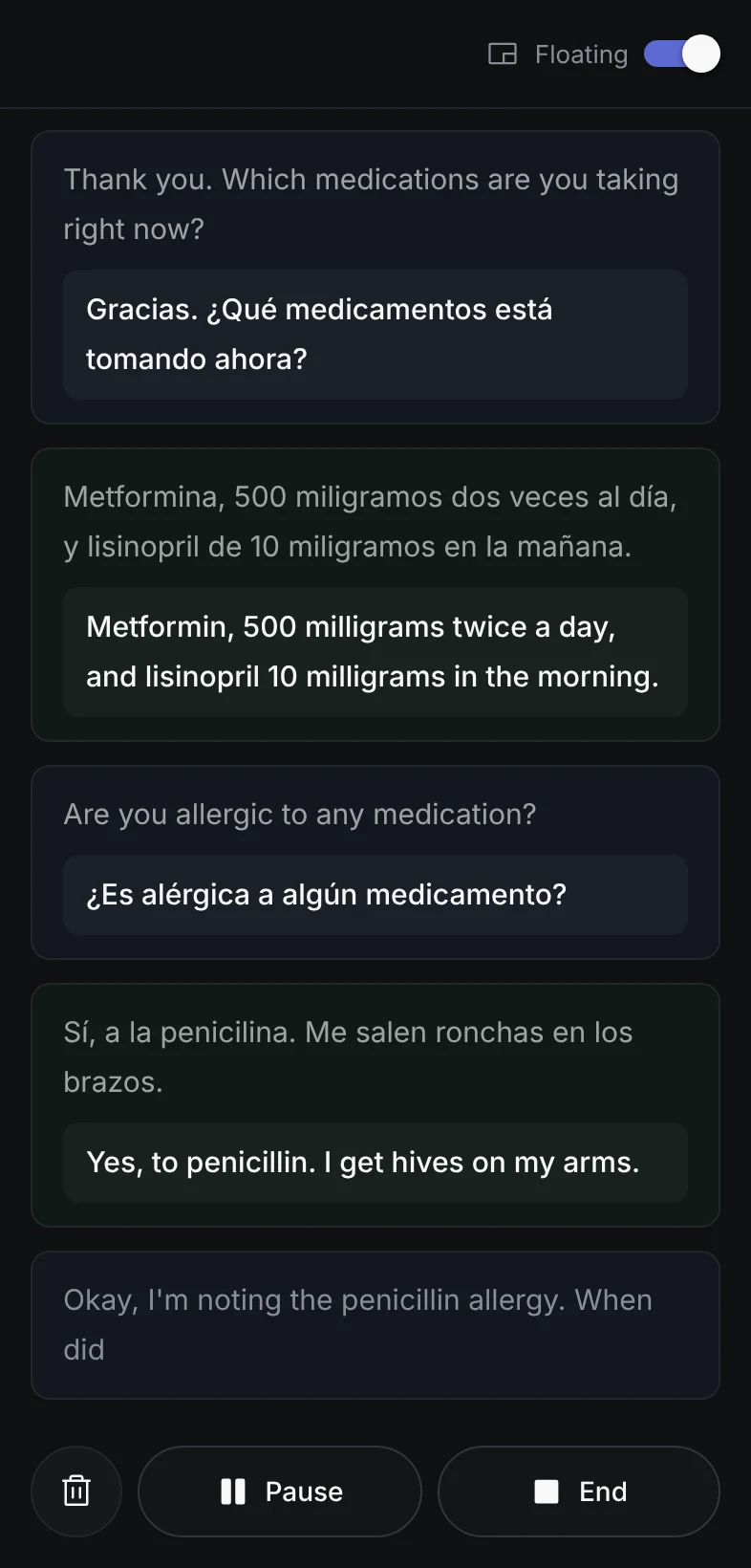
Use supported app audio, your microphone, or both. Keep the transcript visible in a floating overlay while the call app stays open.
Android may show a Play Protect warning because Interpreter is installed from our website instead of Google Play. Tap Install anyway to continue.
20 minutes free. Your existing Interpreter account works on Android.
Built for the Android call
Use Interpreter without leaving the call app.
Interpreter runs audio capture as an Android foreground service and keeps a compact transcript above supported apps. Open the full app when you need session controls or transcript history.
Choose the audio
Select system audio, microphone, or both before the session starts. Interpreter does not switch sources if an app blocks playback capture.
Keep it in view
The floating transcript stays above supported call apps, with clear status when capture pauses, reconnects, or stops.
Use the same account
Your settings, balance, translation modes, and pay-as-you-go pricing carry over from the web app and Chrome extension.
Audio sources
Choose what Interpreter listens to.
The source is selected before capture begins and stays fixed for the session.
System audio
Transcribes playback from an app that permits Android audio capture. Requires Android 10 or newer.
Microphone
Listens through the phone microphone without requesting screen or playback capture.
Both
Combines compatible app playback with microphone input in one transcription session.
Audio compatibility
System-audio support depends on the call app.
Android only shares playback audio when the other app permits it. Interpreter checks for readable audio before it starts a billed session.
What to expect
- Supported agency apps, PWAs, and browser calls can share playback audio.
- Microphone mode works without requesting screen or playback capture.
- Both mode combines compatible app audio with your microphone.
- Standard cellular phone-call audio, protected media, and apps that block capture cannot be read as system audio.
Your audio is never stored.
Audio is processed in real time and never saved. When your call ends, the data is gone.
Android access
Install Interpreter on Android.
Download the production-signed APK directly, then sign in with your existing Interpreter account to use the same settings and minute balance.